

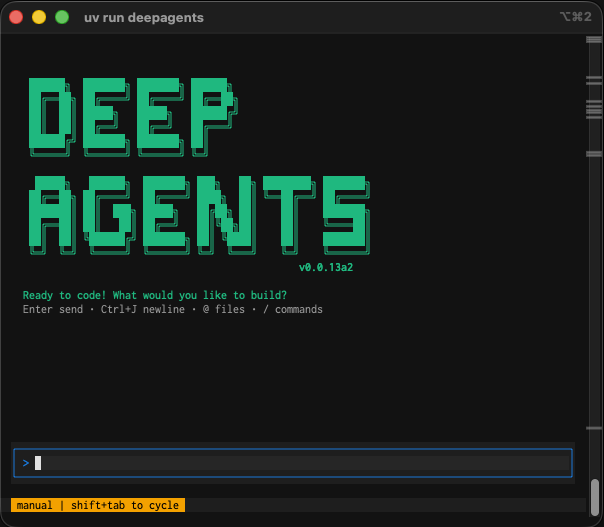
- File operations - read, write, and edit files in your project with tools that enable agents to manage and modify code and documentation.
- Shell command execution - execute shell commands to run tests, build projects, manage dependencies, and interact with version control systems.
- Web search - search the web for up-to-date information and documentation (requires Tavily API key).
- HTTP requests - make HTTP requests to APIs and external services for data fetching and integration tasks.
- Task planning and tracking - break down complex tasks into discrete steps and track progress through the built-in todo system.
- Memory storage and retrieval - store and retrieve information across sessions, enabling agents to remember project conventions and learned patterns.
- Human-in-the-loop - require human approval for sensitive tool operations.
Quick start
Set your API key
Export as an environment variable:Or create a
.env file in your project root:Run the CLI
Give the agent a task
Configure tracing (optional)
Configure tracing (optional)
Enable LangSmith tracing:Configure agent tracing for tool calls and agent decisions:Configure user code tracing for code executed with shell commands:
Additional installation and configuration options
Additional installation and configuration options
Install locally if needed:The CLI automatically selects a provider based on which API keys are available. If multiple keys are set, it uses the first match in this order:
To use a different model, pass the Enable web search (optional):API keys can be set as environment variables or in a
| Priority | API key | Default model |
|---|---|---|
| 1st | OPENAI_API_KEY | gpt-5-mini |
| 2nd | ANTHROPIC_API_KEY | claude-sonnet-4-5-20250929 |
| 3rd | GOOGLE_API_KEY | gemini-3-pro-preview |
--model flag explicitly. For example, to use Claude Opus 4.5:.env file.Configuration
Command-line options
Command-line options
| Option | Description |
|---|---|
--agent NAME | Use named agent with separate memory |
--auto-approve | Skip tool confirmation prompts (toggle with Ctrl+T) |
--resume, -r | Resume most recent session |
--sandbox TYPE | Execute in remote sandbox: modal, daytona, or runloop |
--sandbox-id ID | Reuse existing sandbox |
--sandbox-setup PATH | Run setup script in sandbox |
--version | Display version |
CLI commands
CLI commands
| Command | Description |
|---|---|
deepagents list | List all agents |
deepagents help | Show help |
deepagents reset --agent NAME | Clear agent memory and reset to default |
deepagents reset --agent NAME --target SOURCE | Copy memory from another agent |
deepagents threads list | List all sessions |
deepagents threads delete ID | Delete a session |
Interactive mode
Slash commands
Slash commands
Use these commands within the CLI session:
/tokens- Display token usage/clear- Clear conversation history/exitor/quit- Exit the CLI/help- Show help/threads- Show session info/version- Show version
Bash commands
Bash commands
Execute shell commands directly by prefixing with
!:Keyboard shortcuts
Keyboard shortcuts
| Shortcut | Action |
|---|---|
Enter | Submit |
Option+Enter (Mac) or Alt+Enter (Windows) | Newline |
Ctrl+E | External editor |
Shift+Tab | Toggle auto-approve |
@filename | Auto-complete files and inject content |
Ctrl+C | Interrupt |
Ctrl+D | Exit |
Set project conventions with memories
Agents store information in~/.deepagents/AGENT_NAME/memories/ as markdown files using a memory-first protocol:
- Research: Searches memory for relevant context before starting tasks
- Response: Checks memory when uncertain during execution
- Learning: Automatically saves new information for future sessions
Use remote sandboxes
Execute code in isolated remote environments for safety and flexibility. Remote sandboxes provide the following benefits:- Safety: Protect your local machine from potentially harmful code execution
- Clean environments: Use specific dependencies or OS configurations without local setup
- Parallel execution: Run multiple agents simultaneously in isolated environments
- Long-running tasks: Execute time-intensive operations without blocking your machine
- Reproducibility: Ensure consistent execution environments across teams
-
Configure your sandbox provider (Runloop, Daytona, or Modal):
-
Run the CLI with a sandbox:
The agent runs locally but executes all code operations in the remote sandbox. Optional setup scripts can configure environment variables, clone repositories, and prepare dependencies.
-
(Optional) Create a
setup.shfile to configure your sandbox environment:Store secrets in a local.envfile for the setup script to access.